
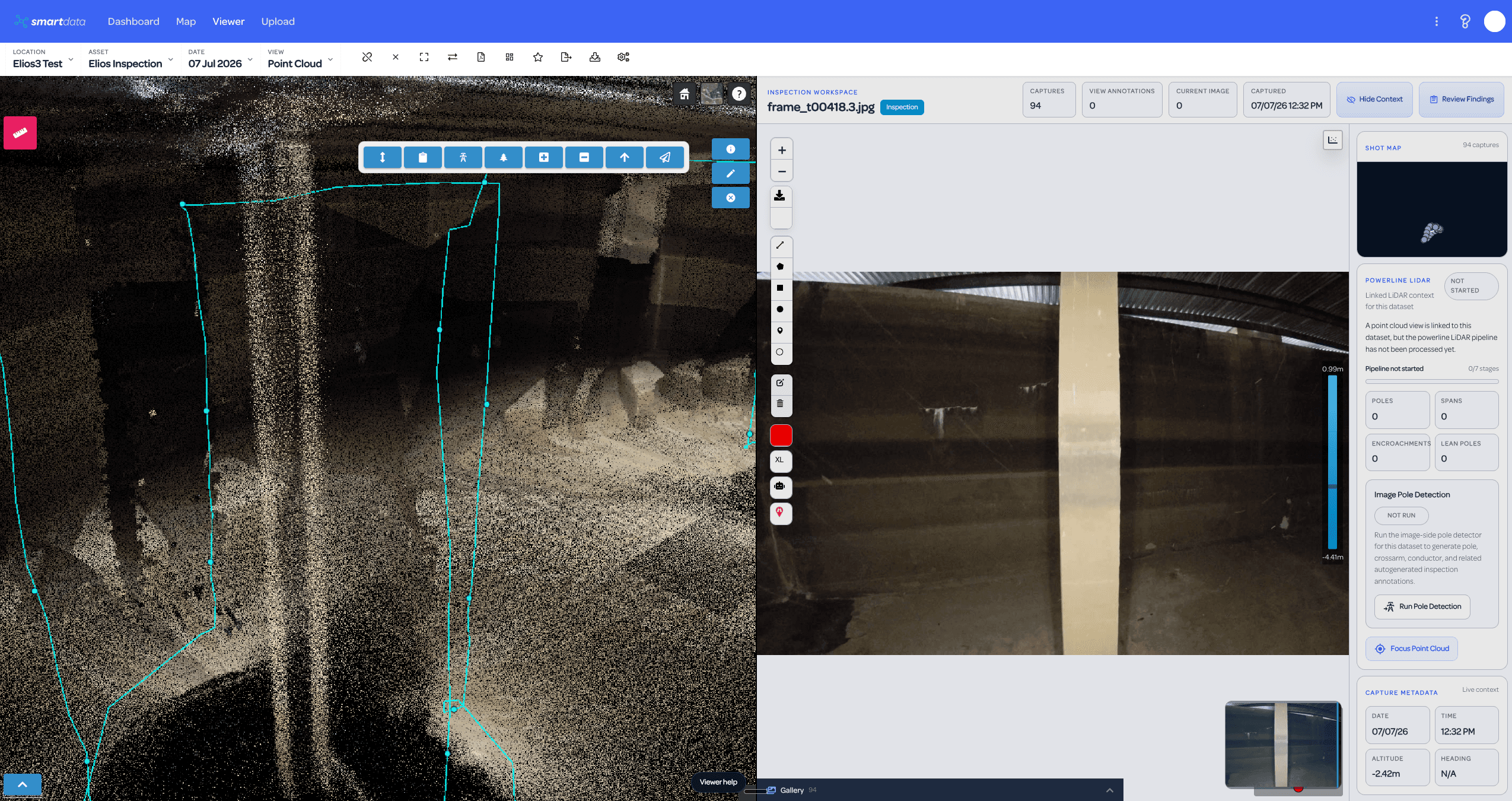
Point cloud and frame review side by side
Review a selected Elios capture against its spatial point cloud context, with inspection metadata and capture controls visible in the same workspace.
Bring Flyability Elios inspection packages into SmartData so teams can review confined-space point clouds, flight paths, frame markers, and linked inspection imagery in one workspace.
Status
Operational workflow
Best-fit audience
Confined-space inspection providers
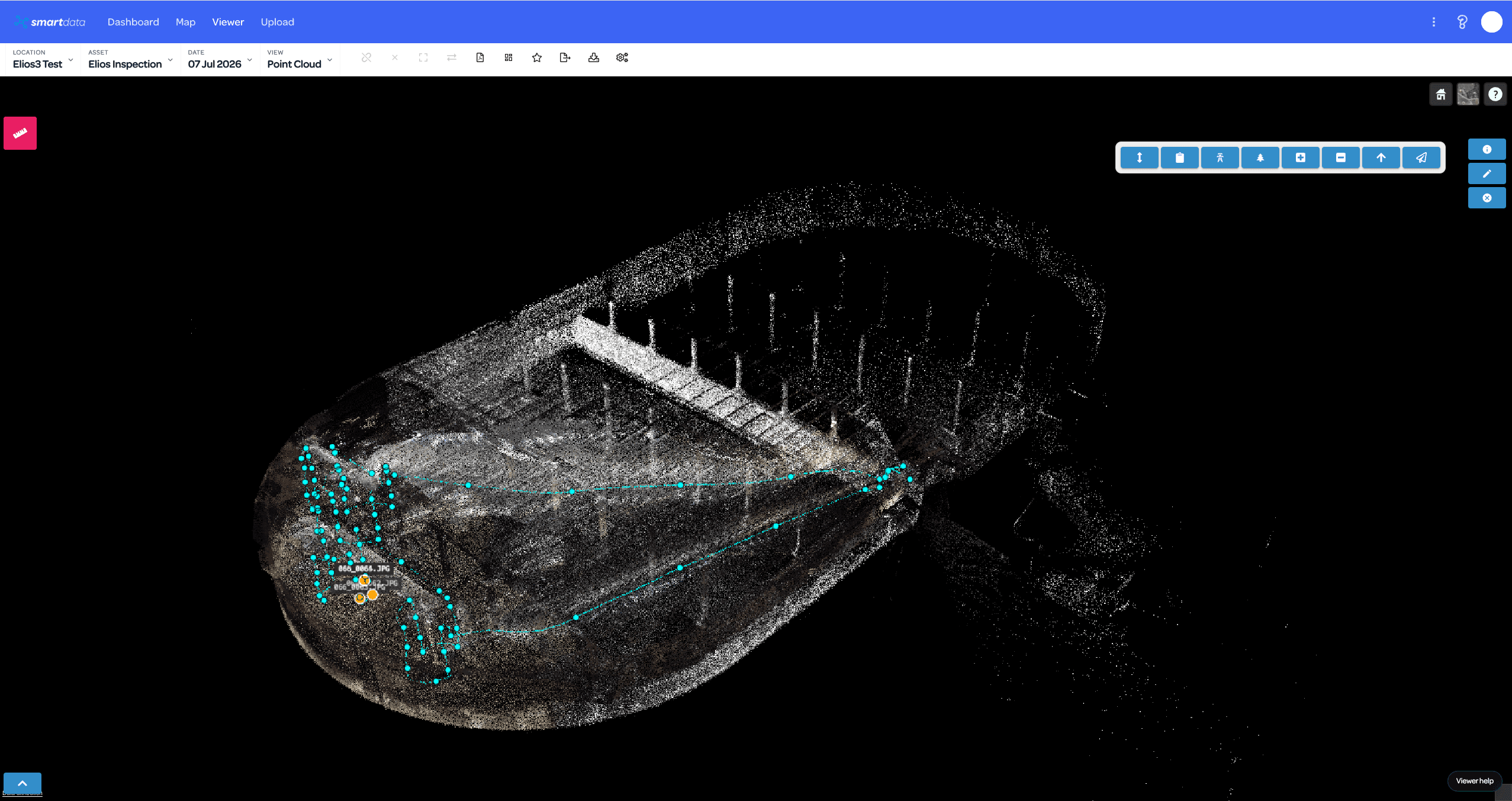
Review Elios inspection data in SmartData with point cloud, flight path, frame markers, and linked imagery when the package is prepared for the workflow.
Product screenshots show how hosted spatial context connects with linked inspection evidence inside the SmartData workspace.
Review a selected Elios capture against its spatial point cloud context, with inspection metadata and capture controls visible in the same workspace.
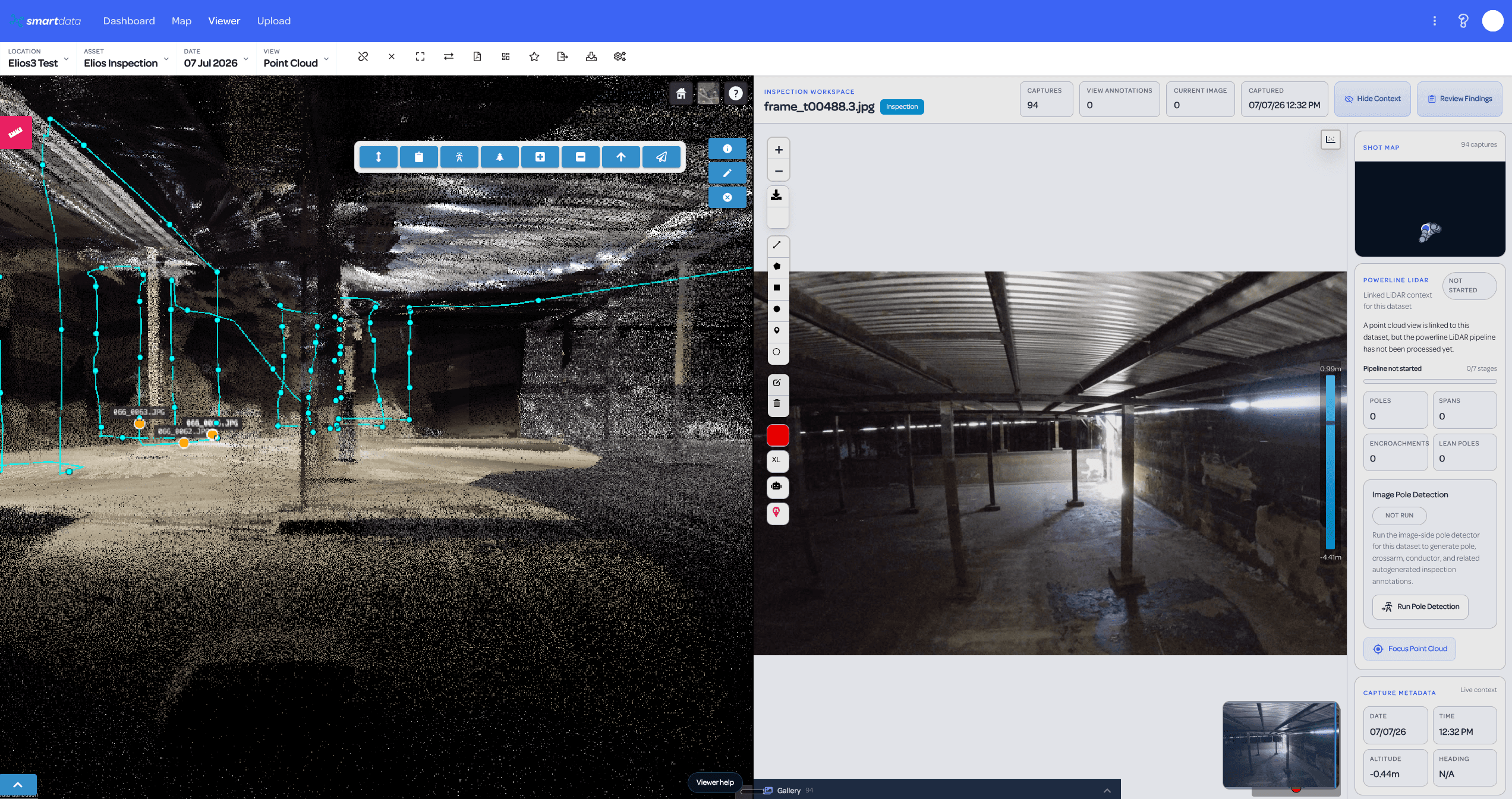
Use frame markers and the shot map to move from the 3D inspection context into the source image evidence without handing reviewers a loose folder.
Show the complete Elios inspection environment with trajectory context, capture clusters, and the structure visible as a hosted SmartData point cloud.
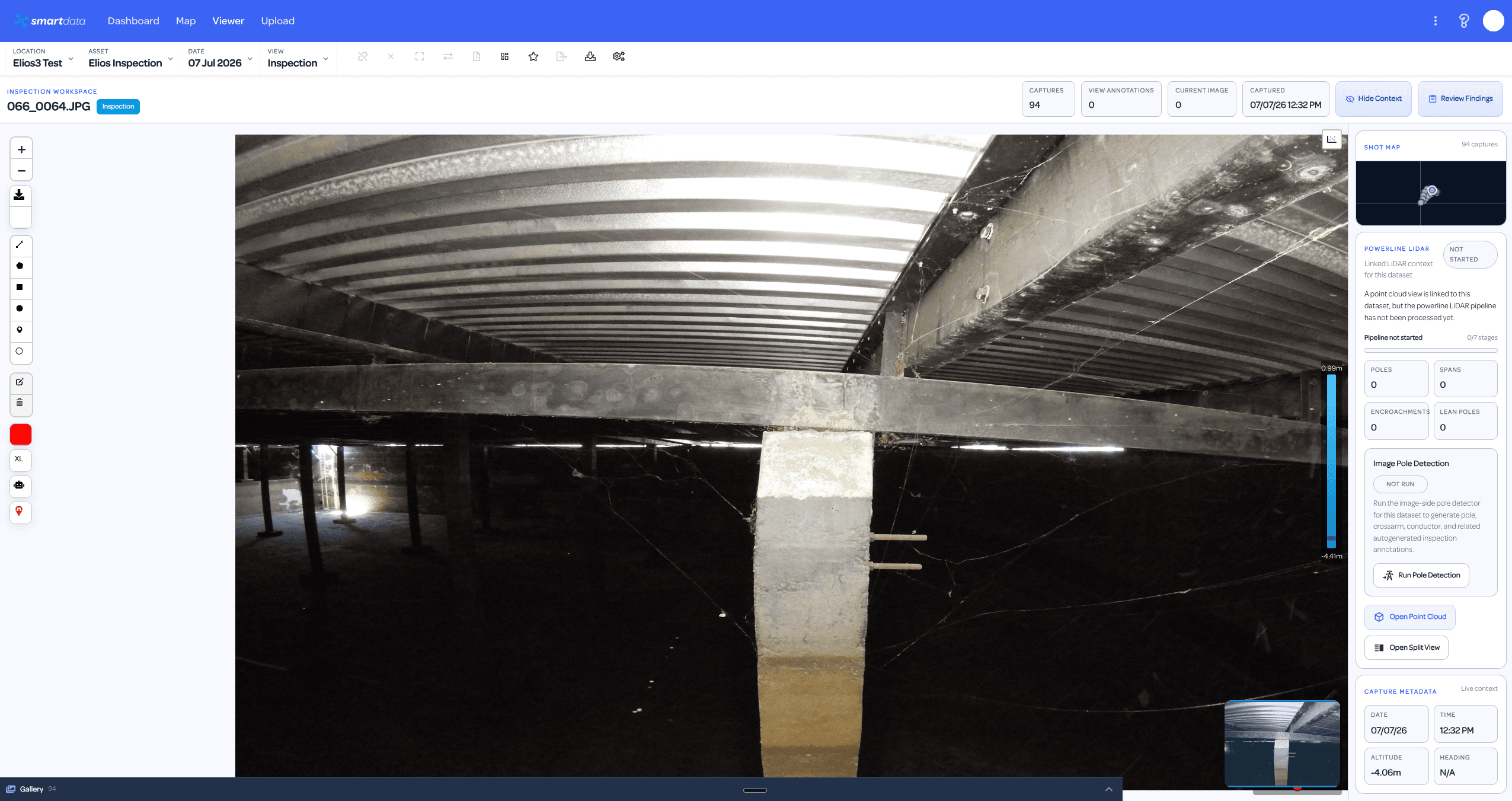
Open the inspection image workspace directly, keeping the shot map, capture date, altitude, review controls, and point cloud link close to the image.
Connect source data, SmartData processing, hosted views, and review outputs so operational teams can move from capture to decisions with less file handling.
Hosted point cloud views for Elios inspection packages
Trajectory and flight-path context
Frame and photo markers in the viewer
Standard SmartData inspection pane for linked imagery
Fresh upload workflow for processing-time image sync
Team review, annotations, and reporting handoff
Prepare the full-inspection Elios package with point cloud, trajectory, and image references.
Upload or process the package into the supported SmartData view type.
Open the point cloud with flight path and frame/photo markers.
Click markers or covered points to review linked imagery in the SmartData inspection pane.
Share the dataset with reviewers and export findings as needed.
SmartData gives this team a hosted workflow for turning complex capture outputs into reviewable evidence.
SmartData gives this team a hosted workflow for turning complex capture outputs into reviewable evidence.
SmartData gives this team a hosted workflow for turning complex capture outputs into reviewable evidence.
Straight answers about inputs, availability, outputs, and where human review still matters.
SmartData keeps the flight path, frame markers, linked photos, and confined-space inspection evidence together for review.
Not necessarily. The linked-image workflow depends on correctly prepared, freshly processed inspection packages.
Reviewers can move between the hosted point cloud, trajectory context, frame markers, shot map, linked imagery, and inspection metadata.