
RAFM - Automation
Automation Limits and Failure Modes
Automated flight reduces workload only when the remote pilot understands its limits, setup risks and degraded modes.
Lesson references
- Last reviewed
- 2026-05-18
- Lesson references
- RePL Study Guide pp. 151-183; Part 101 MOS C10 p. 107.
Automation still needs a pilot
Automated flight management can improve repeatability, mapping quality and crew workload, but it also introduces setup risk. Wrong height, wrong home point, wrong geofence, wrong mission direction or bad GPS can create a problem before the aircraft moves.
A remote pilot should understand what the aircraft will do when GPS degrades, the IMU fails, thrust is lost or the planned route becomes unsafe.
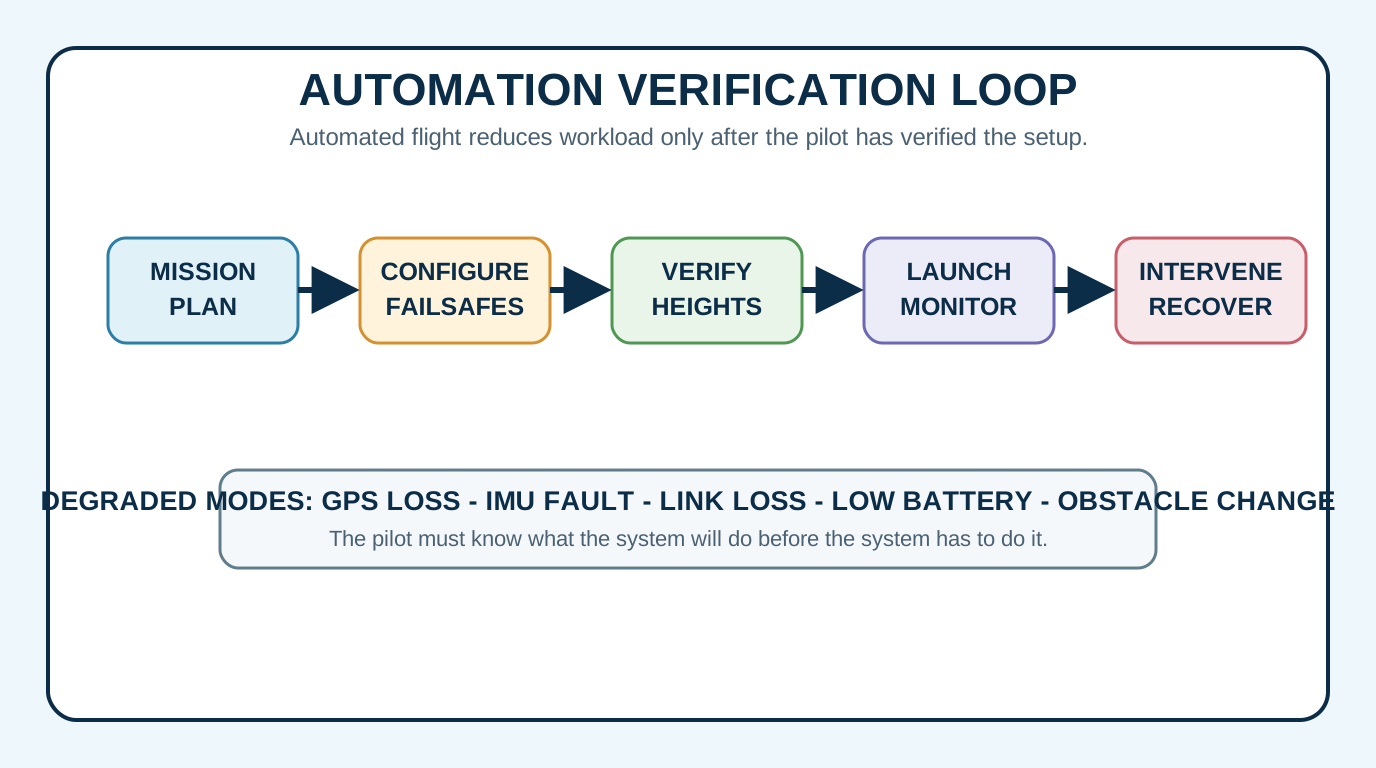
Program, verify, brief
Treat the mission file as an operational control. Check the route, height references, obstacle environment, battery margin, failsafe settings and recovery options before launch.
- Check the mission direction, altitude reference and terrain clearance.
- Check geofence, maximum height, return-to-home height and home-point behaviour.
- Brief who will monitor the aircraft, who will monitor the app and who will call stop.
Automation can hide mode confusion
Automated systems often have multiple modes: position hold, waypoint, terrain follow, return-to-home, active track, manual, attitude or degraded modes. The aircraft may be doing exactly what it was told, while the pilot believes it is doing something else.
Mode awareness is therefore a critical skill. The pilot should know the active mode, the next programmed action and the quickest safe way to pause, hold, return or take manual control.
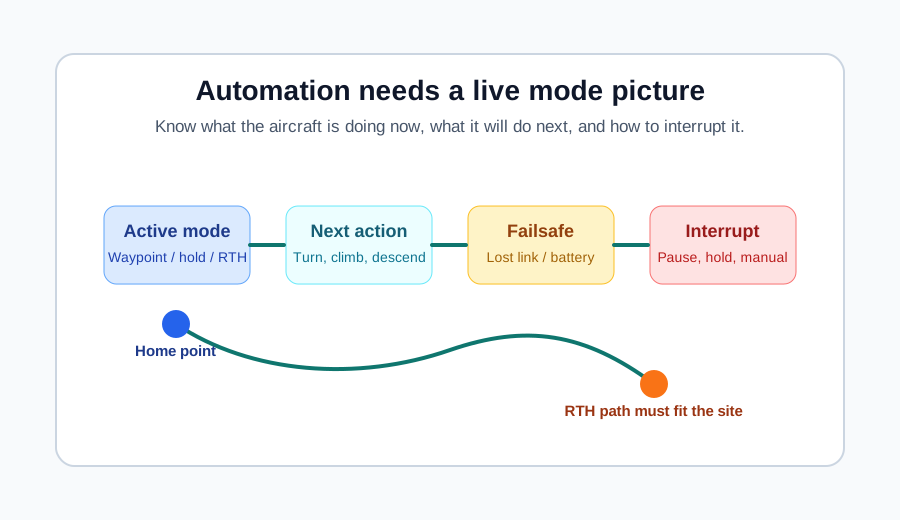
Faults must be identified early
Automation depends on sensors and data. GPS loss, IMU failure, compass disagreement, barometer error, obstacle sensor limitation, payload issue or weak link can all degrade the mission.
The pilot should understand both the alert and the aircraft response. A warning that seems minor on the screen may be the first sign that the mission no longer has the margin it started with.
- Know which warnings require immediate recovery.
- Know which modes remain available after GPS or sensor degradation.
- Do not push deeper into a mission when the aircraft is already telling you the system is degraded.
Emergency behaviour is part of the setup
Automated emergency behaviour should be planned, not discovered. Loss of control, loss of thrust, lost link, low battery, geofence breach and obstacle conflict all need known responses.
Return-to-home may be safe in one site and dangerous in another if it climbs into controlled airspace, heads toward people, crosses an obstacle or lands in the wrong area. The setup must match the actual job.
Precautions before pressing start
Before starting an automated mission, the crew should verify the map, route, heights, battery, payload, wind, obstacle environment, failsafe settings and abort method. The pilot should be ready to intervene from the first second.
Automation is at its best when it makes a well-planned operation repeatable. It is at its worst when it hides a bad plan behind a confident-looking route line.
Practice Questions
What is a good habit before launching an automated mission?
- Verify route, height, failsafes and recovery options.
- Assume the software is always correct.
- Skip the briefing because the flight is automated.
- Ignore GPS quality until after take-off.
Answer: Verify route, height, failsafes and recovery options.
Automation reduces some workload but makes pre-flight configuration and verification more important.
Why is mode awareness important during an automated mission?
- The pilot must know what the aircraft is doing now and what it will do next.
- Mode awareness is only needed after landing.
- Automated aircraft cannot enter the wrong mode.
- Mode labels replace visual line of sight.
Answer: The pilot must know what the aircraft is doing now and what it will do next.
Mode confusion can lead to late or incorrect intervention, especially during automated flight.
What should be considered when setting return-to-home for an automated mission?
- Home point, height, obstacles, airspace, wind, battery and landing area.
- Only the colour of the aircraft.
- Only the camera angle.
- Nothing, because return-to-home is always safe.
Answer: Home point, height, obstacles, airspace, wind, battery and landing area.
Return-to-home behaviour must suit the site and operation; otherwise the failsafe can create a new hazard.
A GPS warning appears during a waypoint mission. What is the safest general response?
- Treat the mission as degraded and move toward a safe hold, manual control or recovery option.
- Ignore it because waypoint missions do not use GPS.
- Fly farther away to complete the route.
- Turn off all warnings.
Answer: Treat the mission as degraded and move toward a safe hold, manual control or recovery option.
Automation depends on reliable sensors. Degraded navigation should trigger conservative recovery thinking.
Next step after study
Complete your Remote Pilot Licence training
The free study guide is a strong theory foundation. To actually be issued with a RePL, students still complete approved training, practical flying and assessment with a certified provider.